Ask for information the next action requires
A useful lead capture form collects enough context for a relevant response without asking the visitor to complete an unnecessary qualification interview. Begin with the handling decision: who receives the inquiry, what they need to know, and how quickly they can respond. For a hypothetical B2B consultation request, a name, work email, company and short description may be sufficient to start. A technical RFQ may require application or specification detail. These examples are design choices, not universal conversion benchmarks.
A field-by-field decision table
| Field | Useful purpose | Review question |
|---|---|---|
| Name | Address the response appropriately | Is one full-name field sufficient? |
| Work email | Deliver the response | Are validation and error messages clear? |
| Company | Understand business context | Must this be required at the first step? |
| Inquiry description | Route and prepare the conversation | Can a concise prompt replace several questions? |
| Phone | Support a requested call | Is it necessary if the visitor chose email? |
| Attachment | Review a technical brief | Are limits and handling expectations explained? |
Do not request sensitive details in an open text field unless there is a legitimate, appropriately protected process for them. A marketing inquiry does not usually require confidential customer records or detailed health information.
Make completion understandable
Use persistent labels, helpful examples and specific validation messages. A visitor should know which fields are required and what happens after submission. On mobile, check input types, keyboard behavior, button visibility and whether an error preserves the completed information. Avoid treating a button click as evidence that an inquiry arrived. A submission may fail after the click. Test the successful submission, confirmation state and receiving record as separate steps.
Validate the captured result
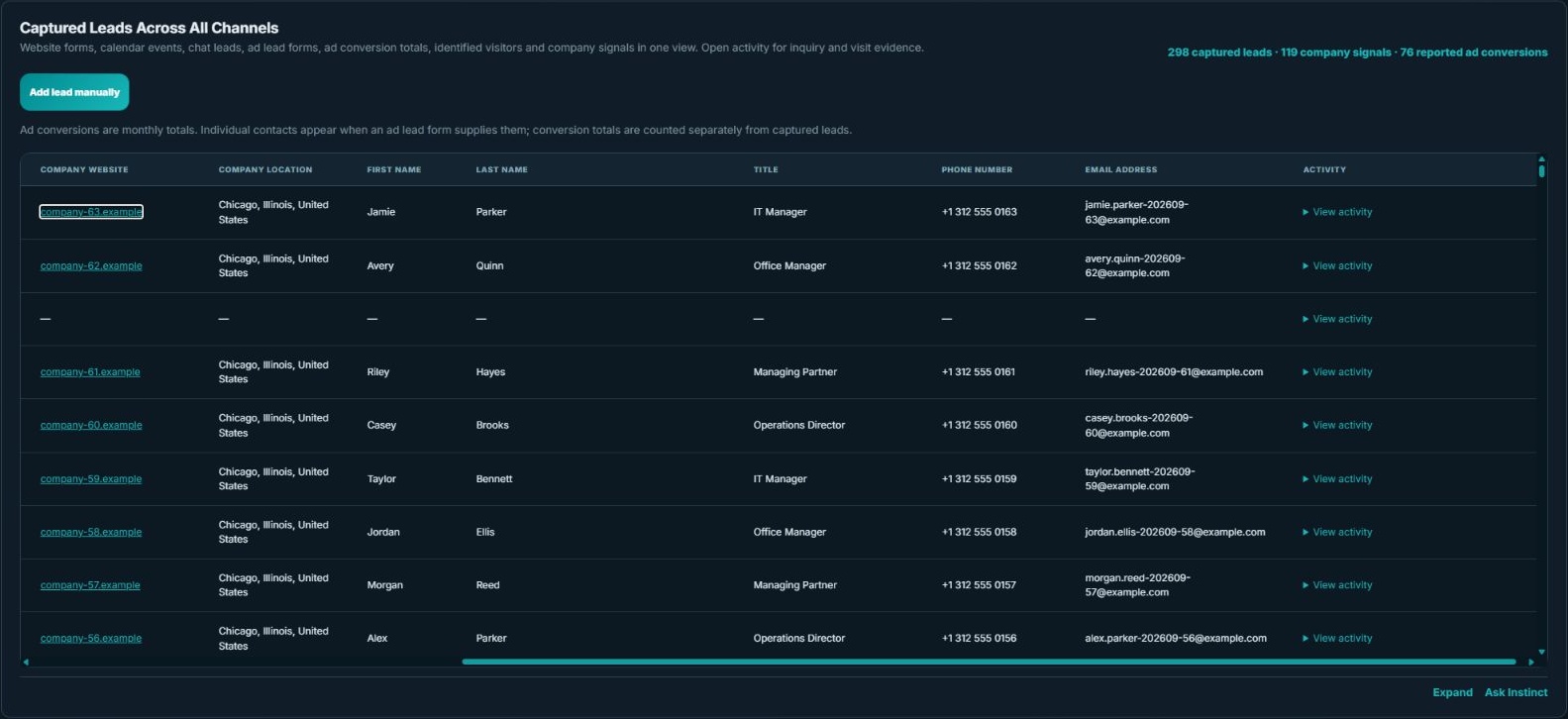
The actual demo table illustrates the kind of received context a reviewer can inspect. Its identities are synthetic. For a real implementation, submit an authorized test inquiry, inspect the supported destination and verify the source information that was actually supplied.
- Confirm a single successful submission creates the intended record.
- Check required fields and source mappings rather than merely matching the headline count.
- Review duplicate handling when the same person later books a meeting.
- Verify that spam controls and confirmation behavior work without inventing a successful delivery claim.
Evaluate the change against the objective
If fewer fields lead to more submissions but less useful context, the team may spend more time resolving basic fit. If extra fields discourage a suitable visitor, the form may be asking for too much too soon. Compare completion evidence and inquiry usefulness where those measures are available. The goal is a usable entry point and a reliable handoff. Use the landing-page examples for the surrounding page design, and the reconciliation guide to distinguish form records from bookings, visitors and reported advertising actions.