Design the page around the next decision
A lead capture landing page should explain the offer, who it suits, what information is needed and what happens next. The form is only one part of that journey. A page can collect submissions yet leave the receiving team unable to respond usefully. The concepts below are original hypothetical wireframes, not screenshots of client websites or tested conversion winners. Use them to evaluate structure and handling requirements. No conversion uplift is claimed.
Example A: a consultation request
| Page element | Illustrative content | Why it belongs |
|---|---|---|
| Headline | Discuss the specific marketing performance problem | Establishes the conversation’s purpose |
| Fit statement | For a business seeking interpretation or a scoped improvement plan | Helps the visitor self-select |
| Useful detail | What the team will discuss and what remains subject to scope | Sets expectations |
| Form | Name, work email, company and priority | Supplies response context |
| Confirmation | Explain the next step without inventing a response-time promise | Completes the handoff |
Keep the request proportionate. A visitor asking for an initial conversation should not have to provide a complete technical brief unless that information is truly needed.
Example B: a technical RFQ
For a hypothetical supplier, the buyer may need to describe an application, specification and timing. Give the page enough service detail to establish fit before asking for the request. Explain attachment limits and handling expectations where an attachment process exists. Do not treat every field as mandatory by default. Decide which facts are necessary to route the request and which can be obtained during the subsequent conversation. Test the submitted information in the receiving system rather than assuming the visible form guarantees delivery.
Example C: a booking pathway
A booking page should explain the meeting’s purpose, suitable attendees and any preparation needed. Check availability, time-zone presentation and confirmation behavior. Distinguish a scheduled appointment from a qualified opportunity; the latter requires additional evidence. If a form submission is followed by a calendar booking, the same person may appear in several activity sources. Decide how the supported identity and deduplication rules are interpreted before reporting a combined lead total.
Inspect the received evidence
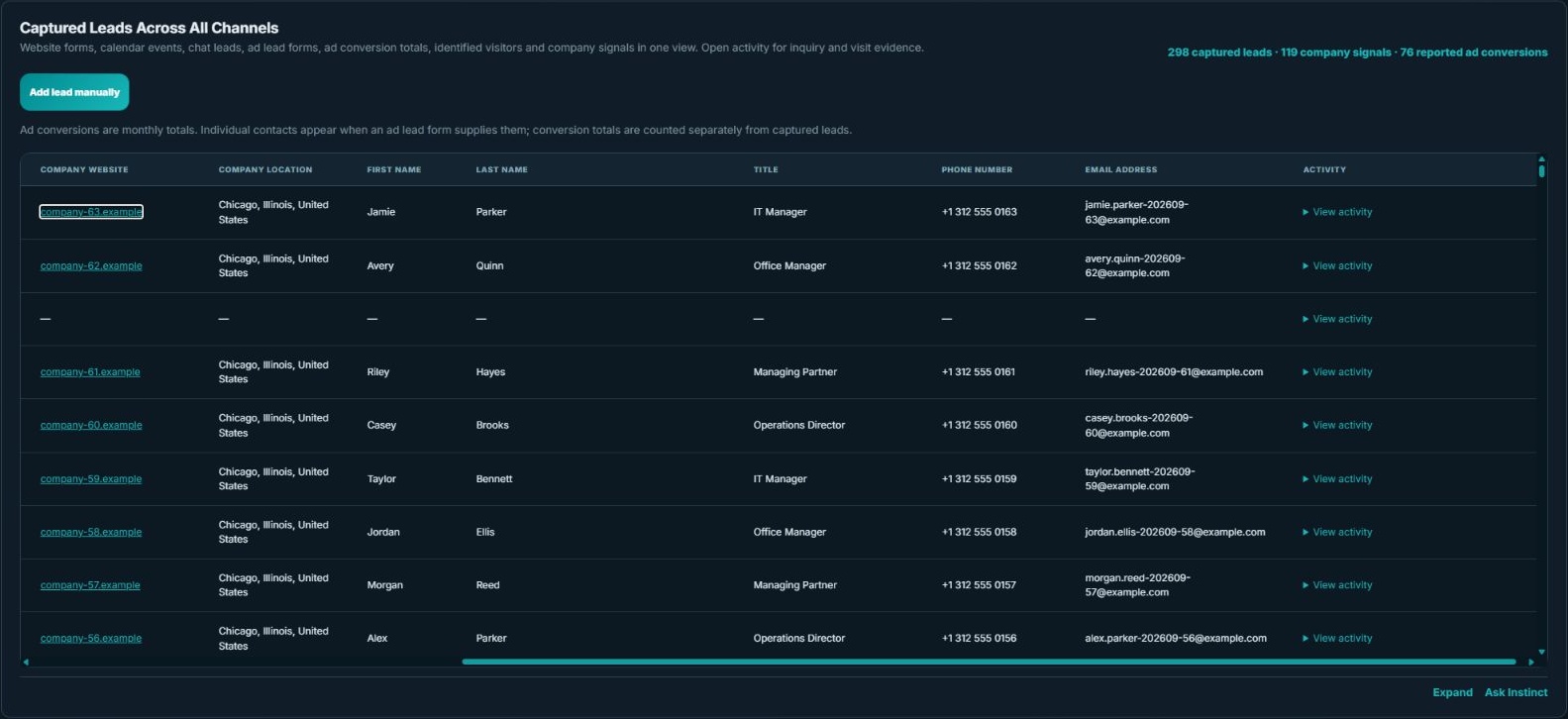
Use the supported source fields to verify what arrived: identity where supplied, capture context, source and time. The demo table demonstrates the interface. It does not establish that a real implementation has been connected or tested.
Acceptance checklist for any of the three concepts
Review subsequent performance using consistent definitions and suitable periods. More form activity is useful only in relation to the business objective. Use the form-field guide for the input design and the reconciliation guide when bookings, contacts and advertising totals differ.