A useful dashboard example answers a specific question
A dashboard is easier to evaluate when you know the task it serves. An owner may need a priority overview. A specialist may need the metric behind a category assessment. An intake lead may need to understand which enquiry sources produced identifiable records. The following examples use actual SharkBlade screens from ZeroDark Demo Client. All figures are synthetic. The annotations explain how to read the interface; they do not describe real customer results or a universal benchmark.
Example 1: an owner’s priority overview
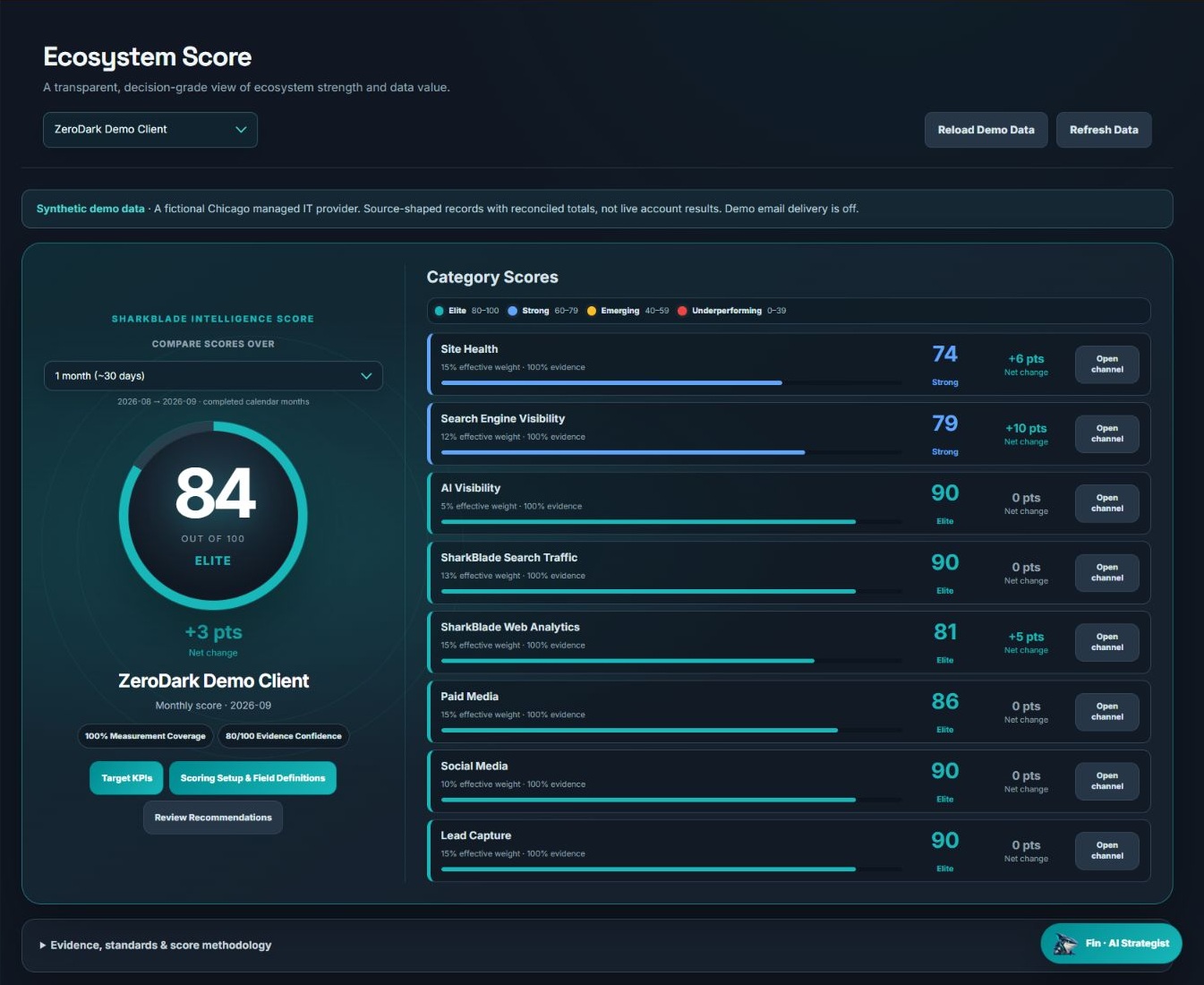
Start with the selected period, then read the overall assessment beside its category detail. The demo shows 84 overall, Site Health at 74 and Search Engine Visibility at 79. That combination invites a closer investigation of those areas while preserving the stronger results elsewhere. Notice the controls for Target KPIs and field definitions. A useful overview makes the assessment inspectable. Ask whether a score change reflects raw performance, a configuration change or newly available evidence before reporting it as growth.
Example 2: a social specialist’s working view
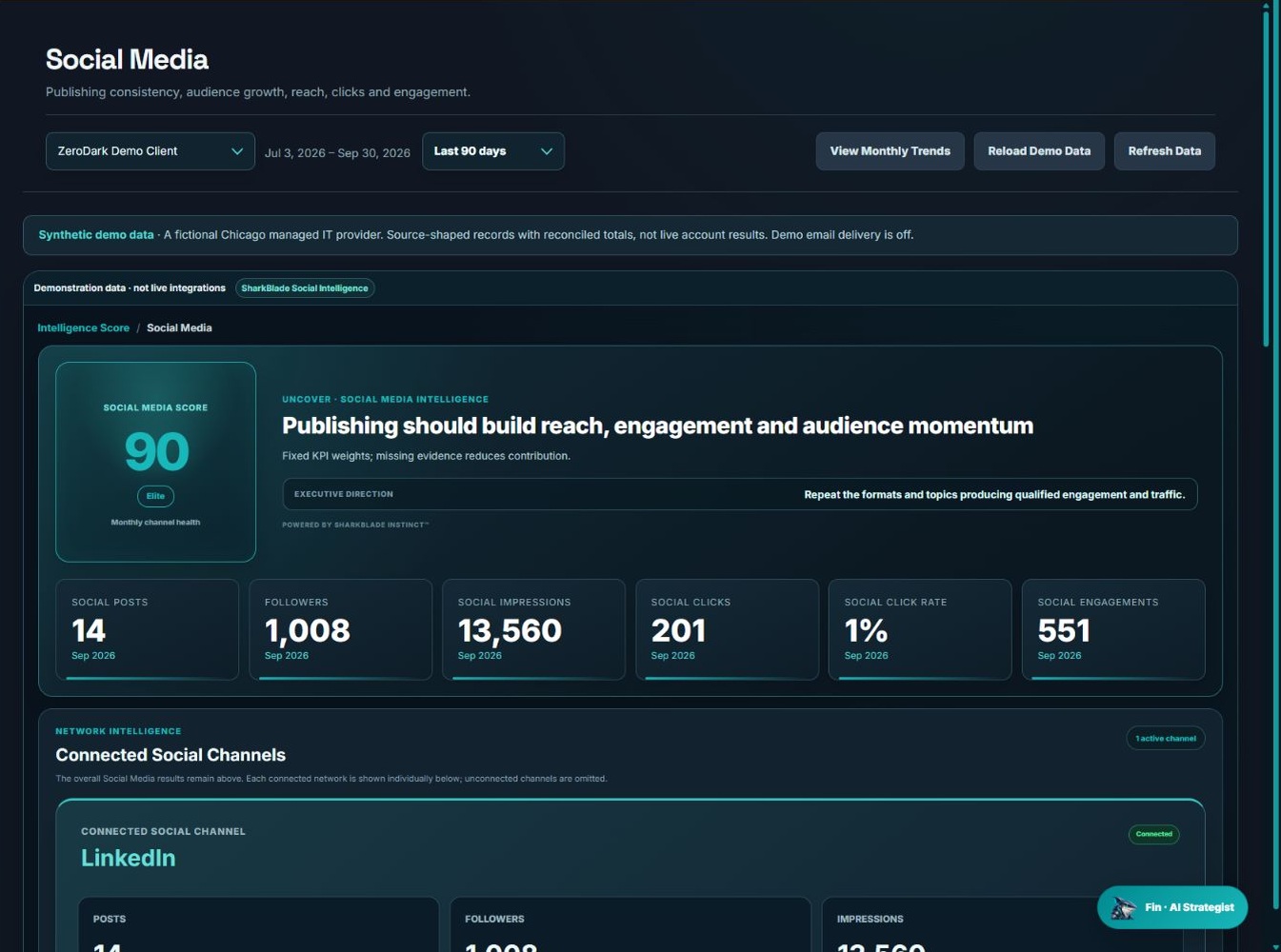
The social capture displays September cards including 14 posts, 13,560 impressions, 201 clicks and 551 engagements. Its selected-range controls and monthly card labels are not interchangeable: identify the period attached to the specific number you quote. An operational review might compare content themes and destination relevance rather than simply requesting more posts. The screenshot supplies an example of the available measures. It does not show that all engagements came from suitable prospects or that clicks became enquiries.
Example 3: an intake team’s source view
The Lead Capture screen separates forms, calendar events, chat, ad conversions, ad lead forms, identified visitors, company visits, company intent and other captured leads. These categories describe different record and activity types. Adding them into a single “new leads” total would discard useful distinctions.
| Reader | First question | Supporting evidence |
|---|---|---|
| Business owner | Where should we investigate? | Overview and category assessment |
| Channel specialist | Which underlying measure changed? | Channel cards and source definitions |
| Intake owner | What arrived and what happens next? | Capture category and supplied record details |
Build your own dashboard acceptance test
Choose one real business question and ask the provider to answer it using the interface. Can you identify the source and period? Can you inspect the definition? Can you reach the evidence behind the summary? Can you distinguish unmeasured information from poor performance? A dashboard that passes those tests is more useful than a large collection of widgets with unclear ownership. For the recurring written summary, use the monthly report example. For a KPI reference, use the metric definitions guide.